CSS/HTML

推荐列表 站点导航

当前位置:首页 > 脚本编程 > CSS/HTML >

移动端HTML5模拟长按删除事件(附代码)

来源:网络整理  作者:  发布时间:2020-12-21 00:26
本篇文章给大家带来的内容是关于移动端HTML5模拟长按删除事件(附代码),有一定的参考价值,有需要的朋友可以参...
本篇文章给大家带来的内容是关于移动端HTML5模拟长按删除事件(附代码),有一定的参考价值,有需要的朋友可以参考一下,希望对你有所帮助。

为啥写这篇文章

最近接了个需求,要求长按某个标签显示删除一个悬浮的删除按钮。这个需求其实在app上很常见,但是在移动端h5中,我们没有长按的事件,所以就需要自己模拟这个事件了。

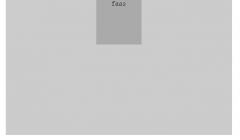
大概效果如下:

2345截图20180930151947.png

思路

放弃click事件,通过判断按的时长来决定是单击还是长按

使用touchstart和touchend事件

在touchstart中开启一个定时器,比如在700ms后显示一个长按菜单

在touchend中清除这个定时器,这样如果按下的时间超过700ms,那么长按菜单已经显示出来了,清除定时器不会有任何影响;如果按下的时间小于700ms,那么touchstart中的长按菜单还没来得及显示出来,就被清除了。

由此我们可以实现模拟的长按事件了。

上代码

请把重点放在JS上,这里贴出来完整的代码是为了方便大家看个仔细,代码可以拷贝直接看效果
css中大部分只是做了样式的美化,还有一开始让删除按钮隐藏起来

HTML:<!DOCTYPE html> <html> <head> <meta charset="UTF-8"> <meta name="viewport" content="width=device-width, initial-scale=1.0"> <meta http-equiv="X-UA-Compatible" content="ie=edge"> <title>Document</title> <link rel="stylesheet" type="text/css" href=https://www.ym97.com/"./longpress.css" /> </head> <body> <div> <div id="label">长按我</div> <div>删除</div> </div> <script src=https://www.ym97.com/"./longpress.js"></script> </body> </html>JSlet timer = null let startTime = '' let endTime = '' const label = document.querySelector('.label') const deleteBtn = document.querySelector('.delete_btn') label.addEventListener('touchstart', function () { startTime = +new Date() timer = setTimeout(function () { deleteBtn.style.display = 'block' }, 700) }) label.addEventListener('touchend', function () { endTime = +new Date() clearTimeout(timer) if (endTime - startTime < 700) { // 处理点击事件 label.classList.add('selected') } })CSS.container { position: relative; display: inline-block; margin-top: 50px; } .label { display: inline-block; box-sizing: border-box; width: 105px; height: 32px; line-height: 32px; background-color: #F2F2F2; color: #5F5F5F; text-align: center; border-radius: 3px; font-size: 14px; } .label.selected { background-color: #4180cc; color: white; } .delete_btn { display: none; position: absolute; top: -8px; left: 50%; transform: translateX(-50%) translateY(-100%); color: white; padding: 10px 16px; background-color: rgba(0, 0, 0, .7); border-radius: 6px; line-height: 1; white-space: nowrap; font-size: 12px; } .delete_btn::after { content: ''; width: 0; height: 0; border-width: 5px; border-style: solid; border-color: rgba(0, 0, 0, .7) transparent transparent transparent; position: absolute; bottom: -9px; left: 50%; transform: translateX(-50%); }

ps: touchstart和touchend只有在移动端设备上才有用,如果要看代码示例的话请:

用chrome

F12打开调时窗

切换到模拟移动设备

即点击如下图:

2156555810-5baf4d54e9afa_articlex.png

相关热词: HTML HTML5

本站内容来源于网络,如有侵权请与我们联系,我们会及时删除,我们深感抱歉!
注:本站所有信息仅供用于网络技术学习参考,学习中请遵循相关法律法规!

本文地址: https://v30.fanwenzhu.com/jiaob/cssm/6406.shtml

Copyright © www.juheyunku.com      关于 | 合作 | 声明 | 联系 | 更新 | 地图 | Tags

移动端HTML5模拟长按删除事件(附代码)

2020-12-21 编辑:

本篇文章给大家带来的内容是关于移动端HTML5模拟长按删除事件(附代码),有一定的参考价值,有需要的朋友可以参考一下,希望对你有所帮助。

为啥写这篇文章

最近接了个需求,要求长按某个标签显示删除一个悬浮的删除按钮。这个需求其实在app上很常见,但是在移动端h5中,我们没有长按的事件,所以就需要自己模拟这个事件了。

大概效果如下:

2345截图20180930151947.png

思路

放弃click事件,通过判断按的时长来决定是单击还是长按

使用touchstart和touchend事件

在touchstart中开启一个定时器,比如在700ms后显示一个长按菜单

在touchend中清除这个定时器,这样如果按下的时间超过700ms,那么长按菜单已经显示出来了,清除定时器不会有任何影响;如果按下的时间小于700ms,那么touchstart中的长按菜单还没来得及显示出来,就被清除了。

由此我们可以实现模拟的长按事件了。

上代码

请把重点放在JS上,这里贴出来完整的代码是为了方便大家看个仔细,代码可以拷贝直接看效果
css中大部分只是做了样式的美化,还有一开始让删除按钮隐藏起来

HTML:<!DOCTYPE html> <html> <head> <meta charset="UTF-8"> <meta name="viewport" content="width=device-width, initial-scale=1.0"> <meta http-equiv="X-UA-Compatible" content="ie=edge"> <title>Document</title> <link rel="stylesheet" type="text/css" href=https://www.ym97.com/"./longpress.css" /> </head> <body> <div> <div id="label">长按我</div> <div>删除</div> </div> <script src=https://www.ym97.com/"./longpress.js"></script> </body> </html>JSlet timer = null let startTime = '' let endTime = '' const label = document.querySelector('.label') const deleteBtn = document.querySelector('.delete_btn') label.addEventListener('touchstart', function () { startTime = +new Date() timer = setTimeout(function () { deleteBtn.style.display = 'block' }, 700) }) label.addEventListener('touchend', function () { endTime = +new Date() clearTimeout(timer) if (endTime - startTime < 700) { // 处理点击事件 label.classList.add('selected') } })CSS.container { position: relative; display: inline-block; margin-top: 50px; } .label { display: inline-block; box-sizing: border-box; width: 105px; height: 32px; line-height: 32px; background-color: #F2F2F2; color: #5F5F5F; text-align: center; border-radius: 3px; font-size: 14px; } .label.selected { background-color: #4180cc; color: white; } .delete_btn { display: none; position: absolute; top: -8px; left: 50%; transform: translateX(-50%) translateY(-100%); color: white; padding: 10px 16px; background-color: rgba(0, 0, 0, .7); border-radius: 6px; line-height: 1; white-space: nowrap; font-size: 12px; } .delete_btn::after { content: ''; width: 0; height: 0; border-width: 5px; border-style: solid; border-color: rgba(0, 0, 0, .7) transparent transparent transparent; position: absolute; bottom: -9px; left: 50%; transform: translateX(-50%); }

ps: touchstart和touchend只有在移动端设备上才有用,如果要看代码示例的话请:

用chrome

F12打开调时窗

切换到模拟移动设备

即点击如下图:

2156555810-5baf4d54e9afa_articlex.png

本站内容来源于网络,如有侵权请与我们联系,我们会及时删除,我们深感抱歉!
注:本站所有信息仅供学习参考!
本文地址为 https://v30.fanwenzhu.com/jiaob/cssm/6406.shtml

相关文章

风云图片

推荐阅读

返回CSS/HTML频道首页